Domain:
Oil and Gas
Category:
Web Design
Redesigned a high-friction enterprise workspace for geoscience operations teams to accelerate cloud adoption, reduce cognitive load, and improve day-to-day usability.
At a Glance
Domain: Enterprise SaaS (Geoscience / Oil & Gas)
Timeline: 24 months
Team: Product, Design, Engineering, Domain SMEs
My role & scope
Led end-to-end UX strategy for workspace redesign
Owned workflow simplification, layout prioritization, and validation plan
Partnered with PM + Engineering for rollout and instrumentation
Responsibilities included:
Planning and conducting user research with domain experts
Defining workflows and information architecture
Leading design exploration and iteration
Collaborating with Product Managers and Engineers
Driving usability validation and incorporating feedback
Aligning design decisions with business and technical constraints
Problem
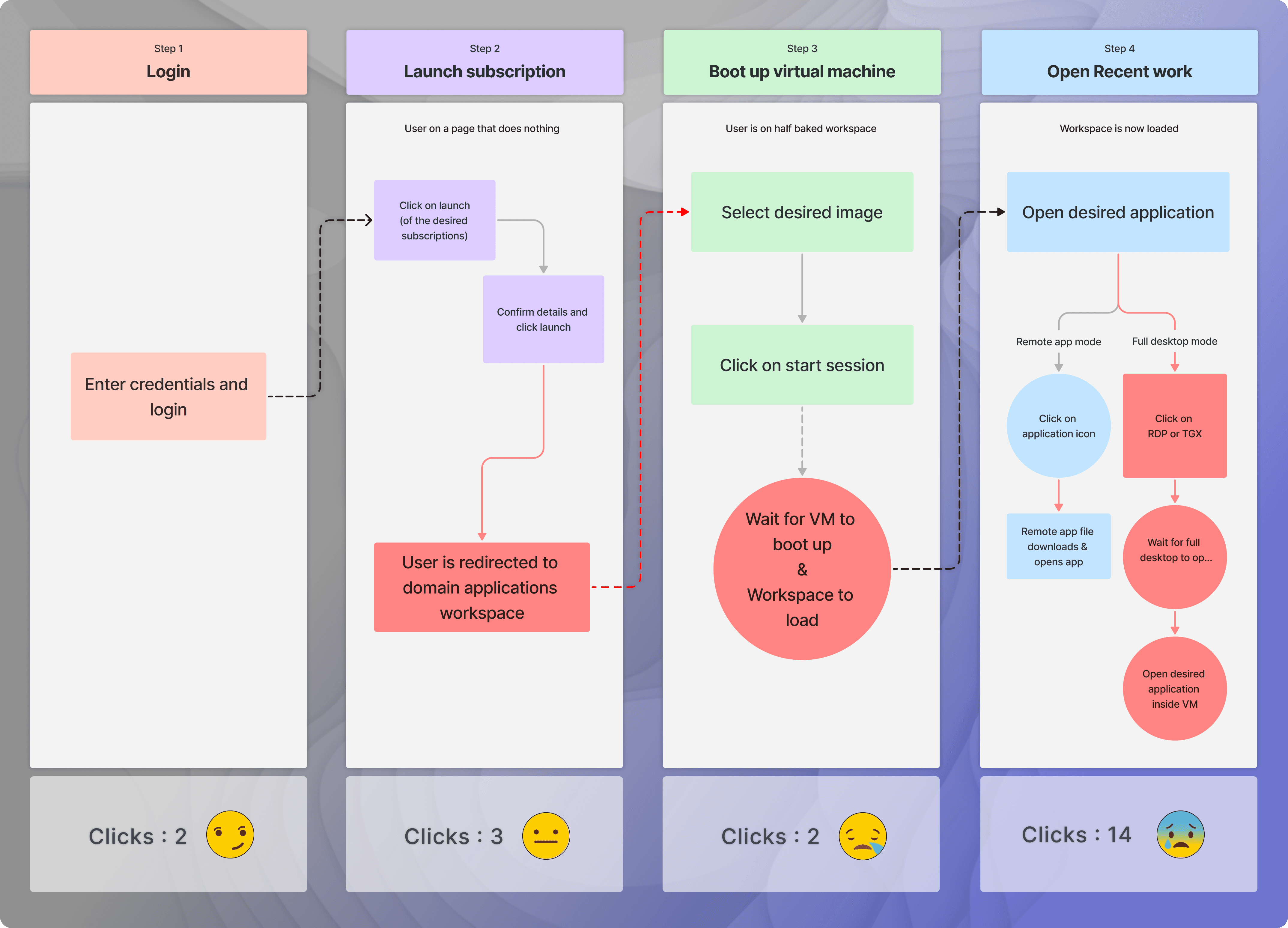
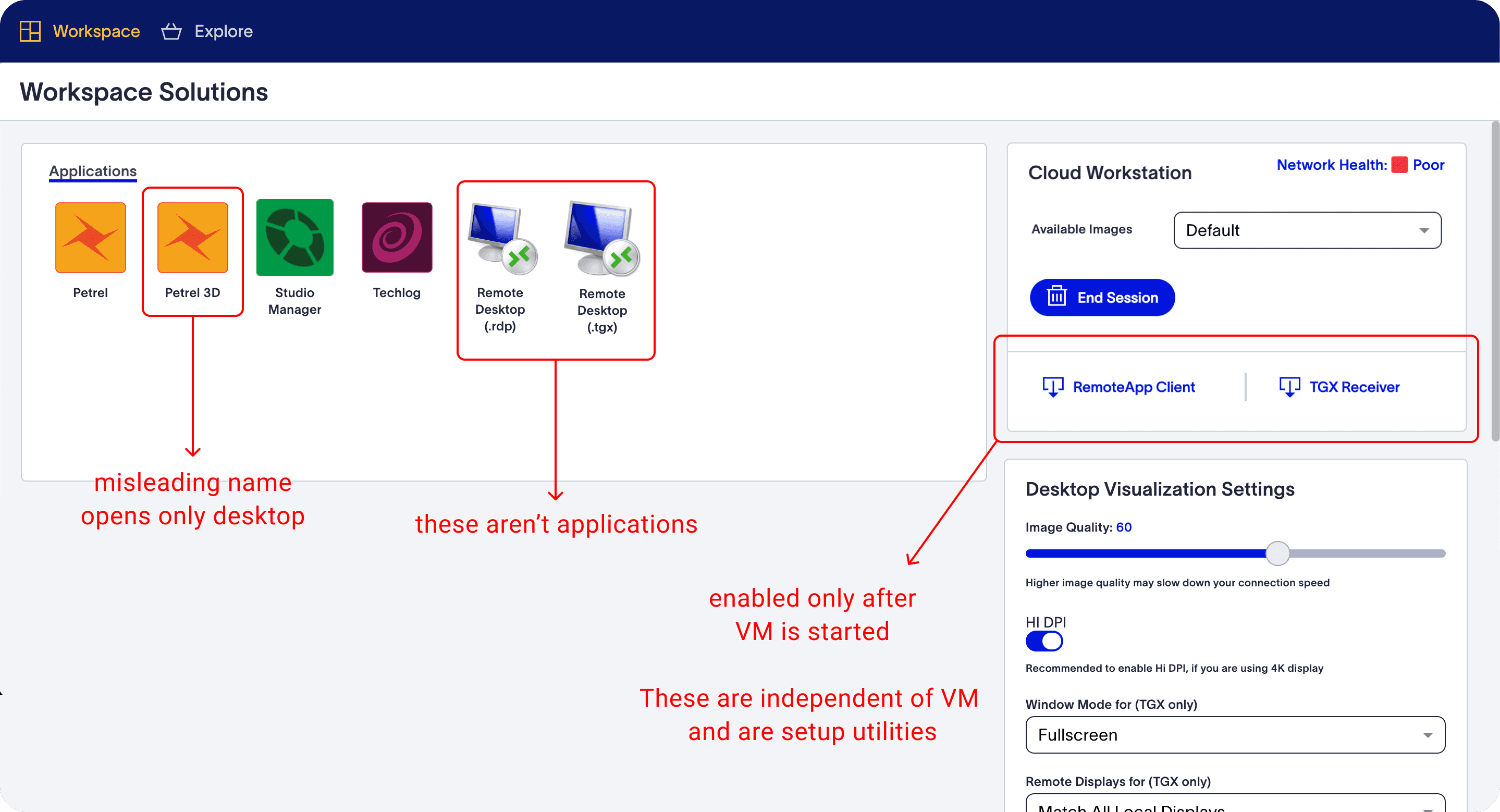
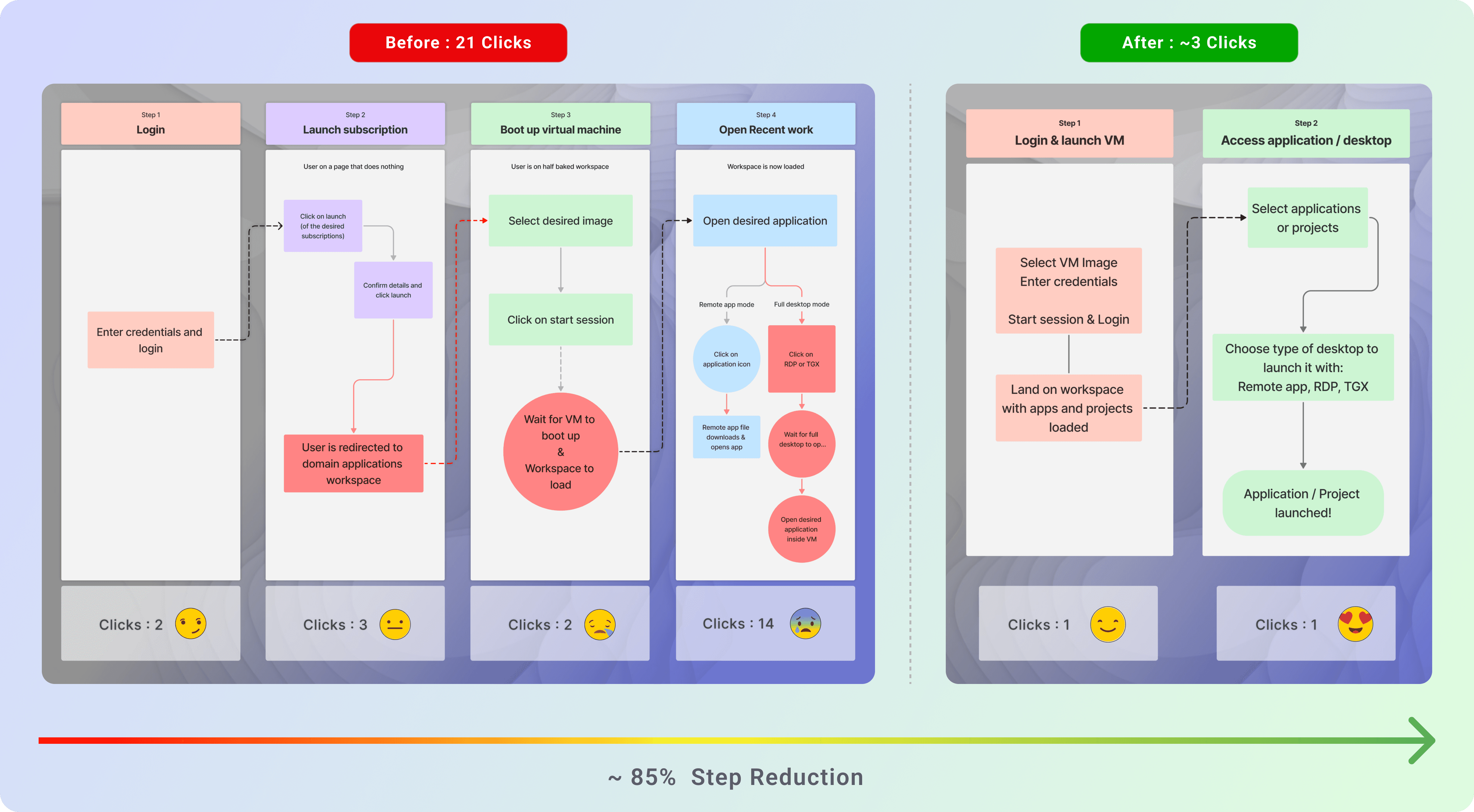
Cloud migration was stalled because core tasks required a complex, high-friction workflow (~21 clicks), reducing discoverability and daily usage.
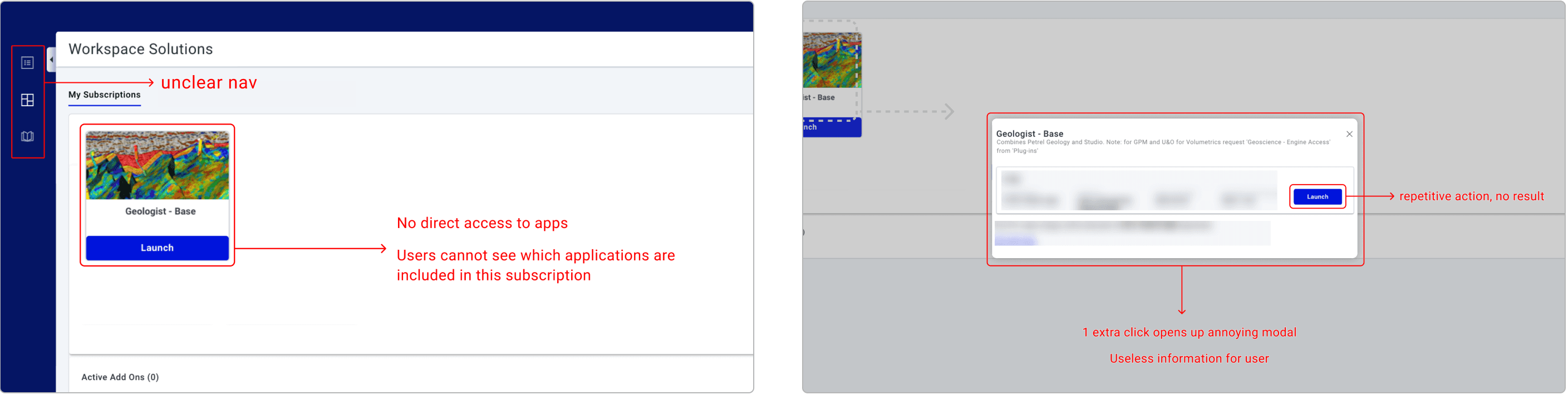
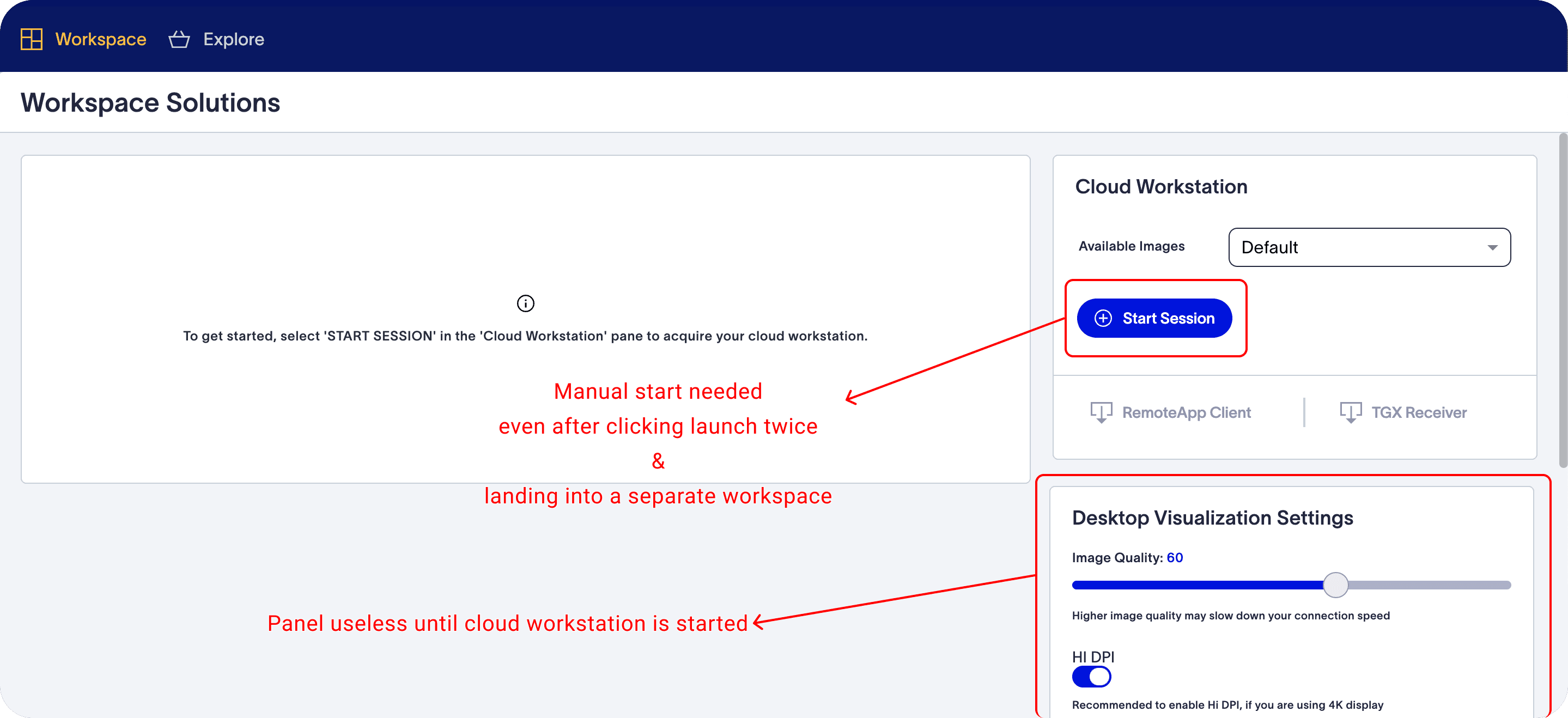
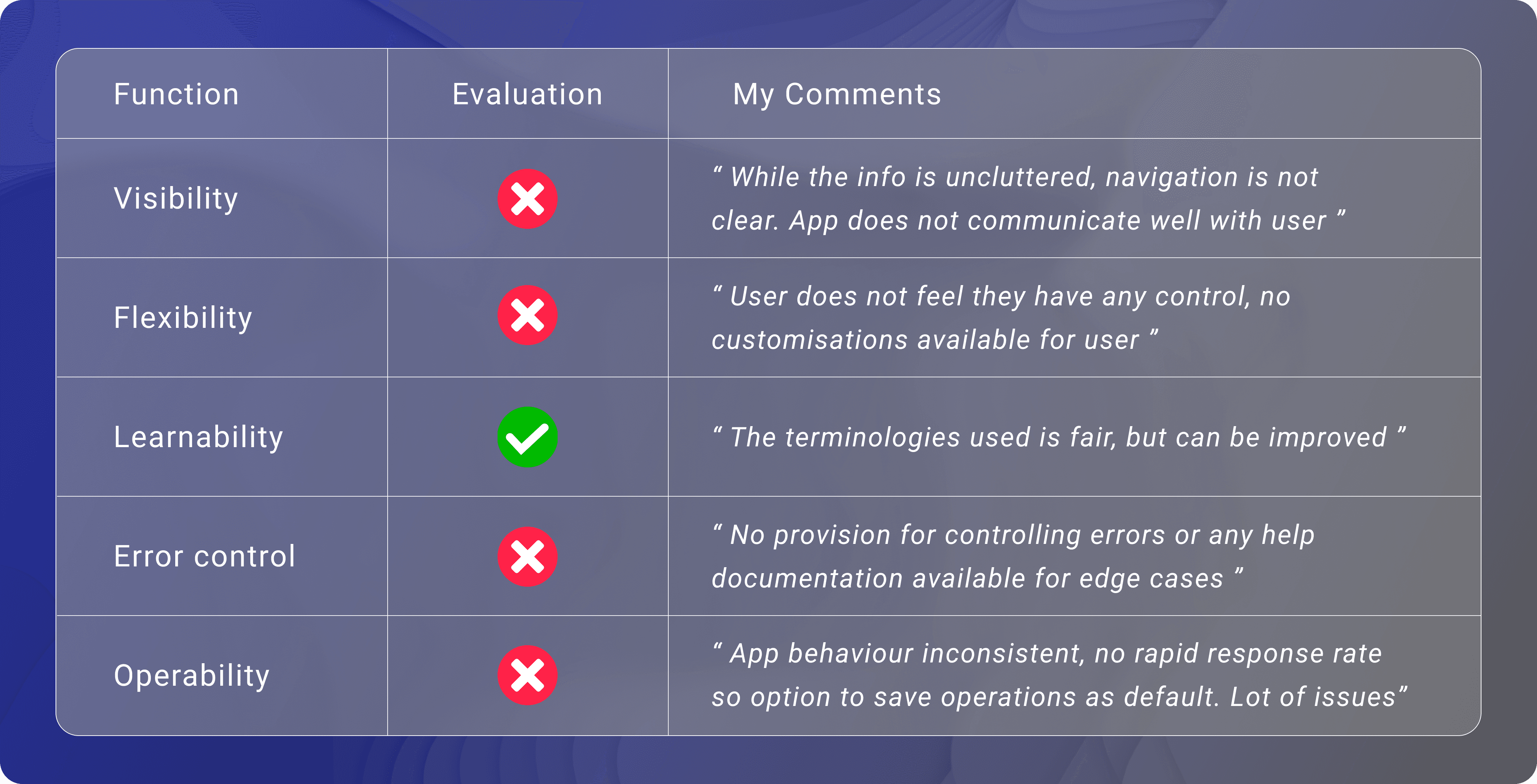
Issues in the existing interface
Outcome
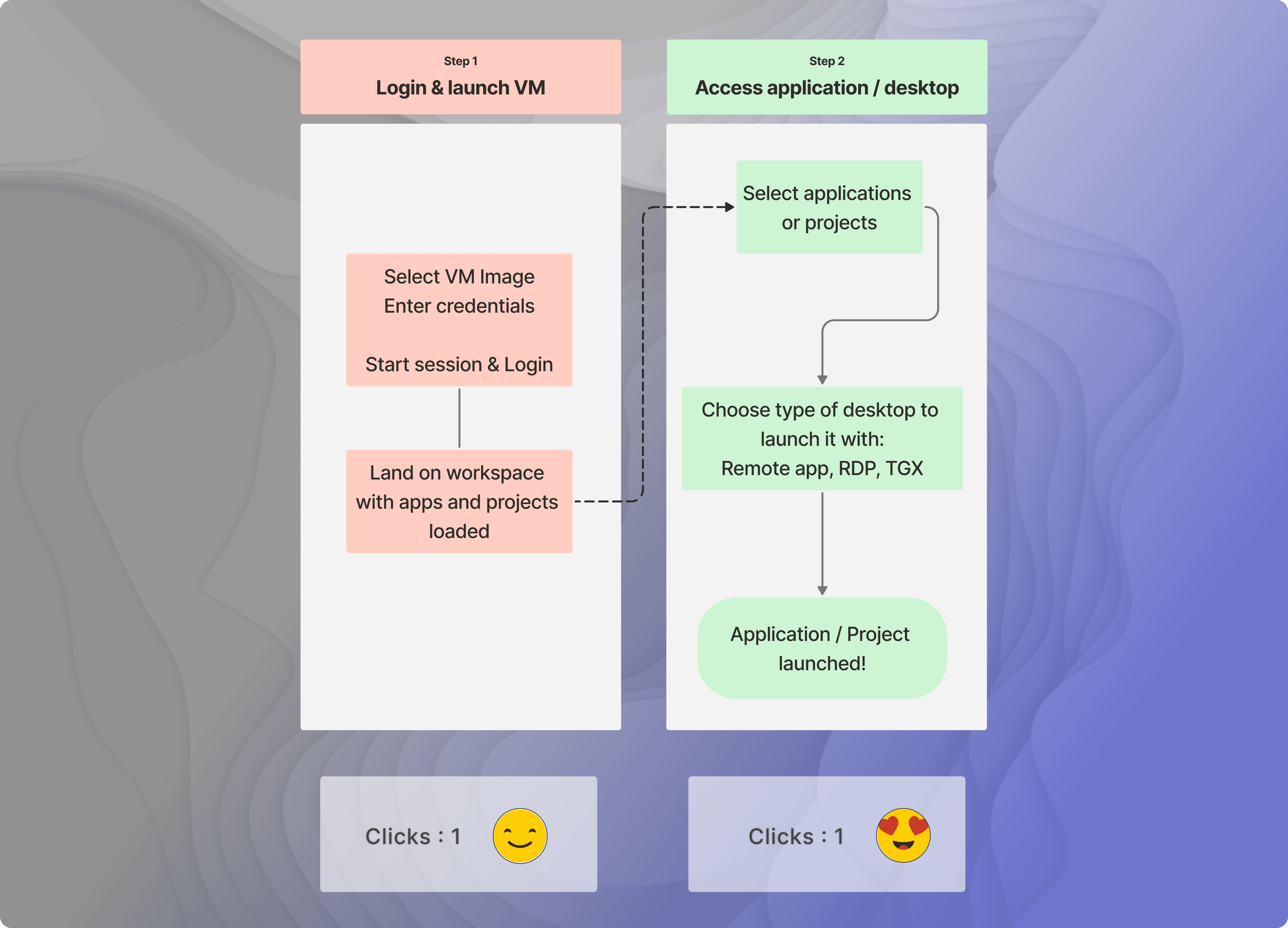
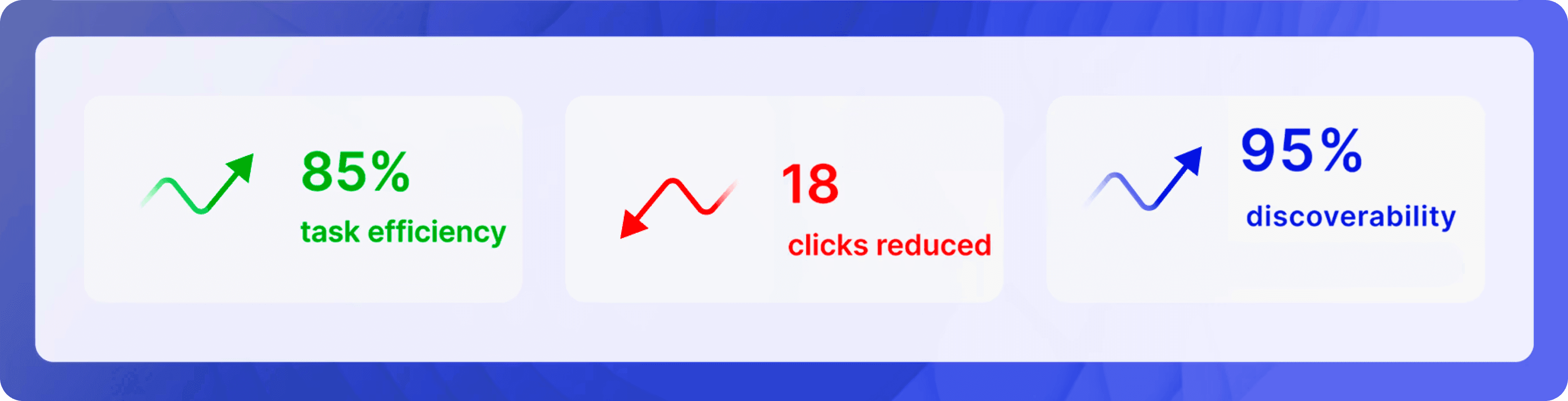
Reduced task completion from 21 → ~3 clicks
+67% increase in active product adoption
+80% increase in user satisfaction
Enabled onboarding of ~3,000 new enterprise users

My Contributions
UX strategy
Workflow simplification
Screen redesign
Validation
Business Context
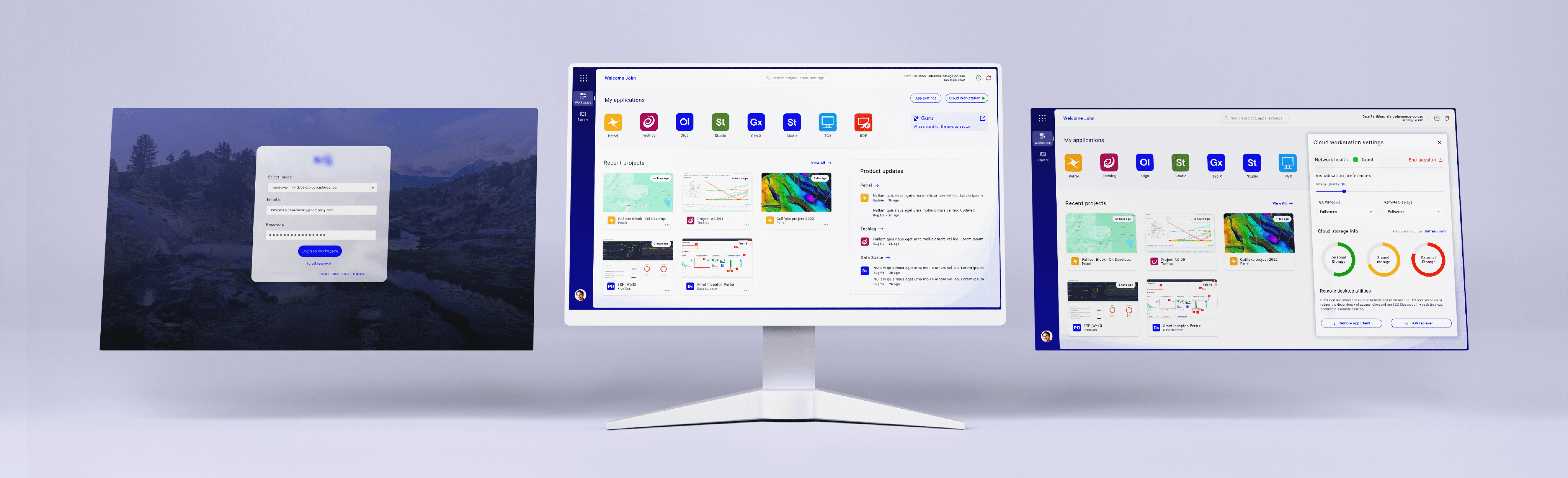
The platform was a mission-critical enterprise workspace used by geoscience operations teams for daily decisions, app access, and project workflows.
Despite business push for cloud adoption, usage remained flat due to complexity in core user journeys.
Core challenge : A High-Friction Barrier to Cloud Migration
The legacy experience created high cognitive load and unnecessary navigation depth.
Even basic actions required multiple context switches, making the system feel slow and difficult to use.
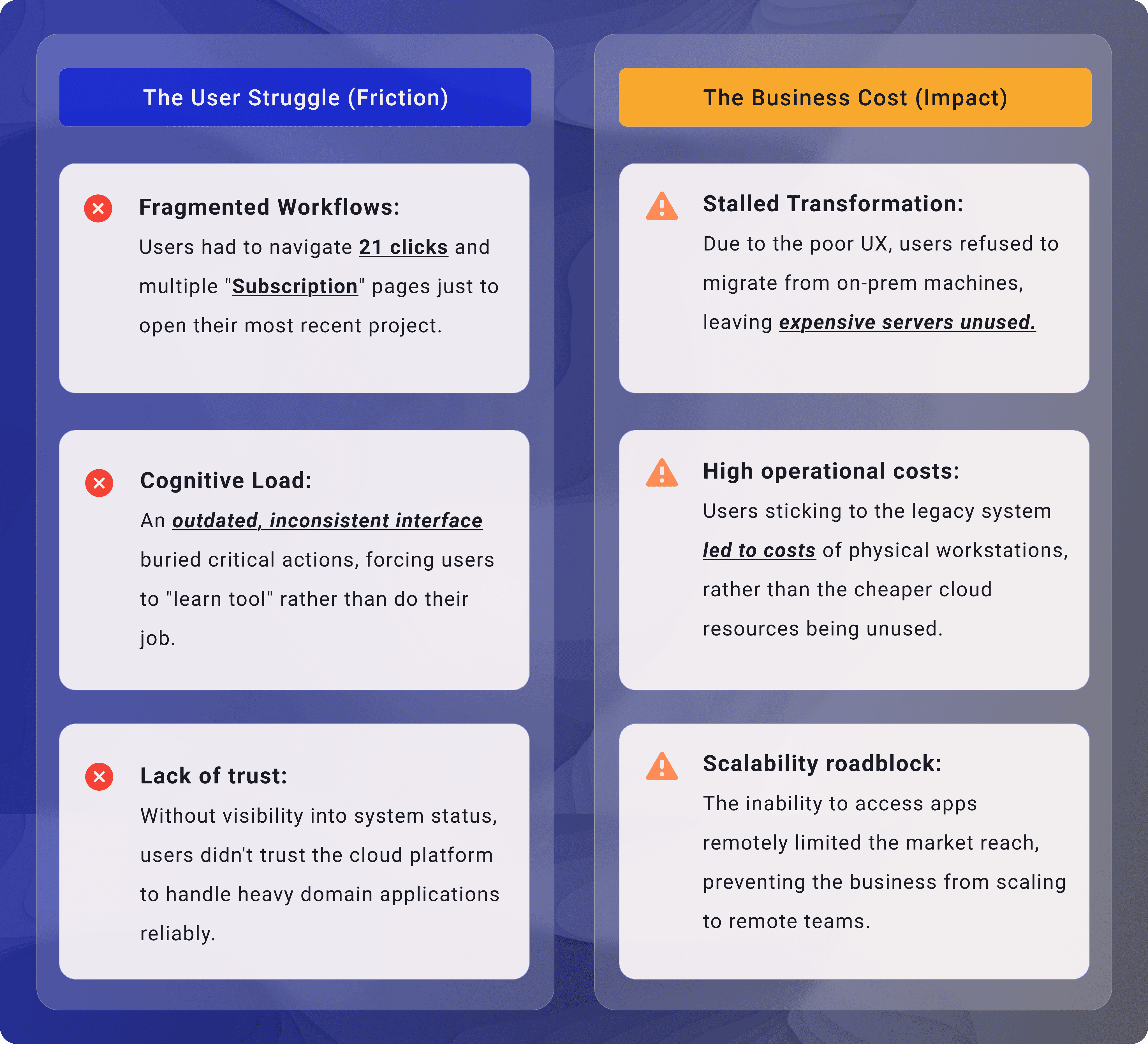
Despite feature richness, user engagement was low because:
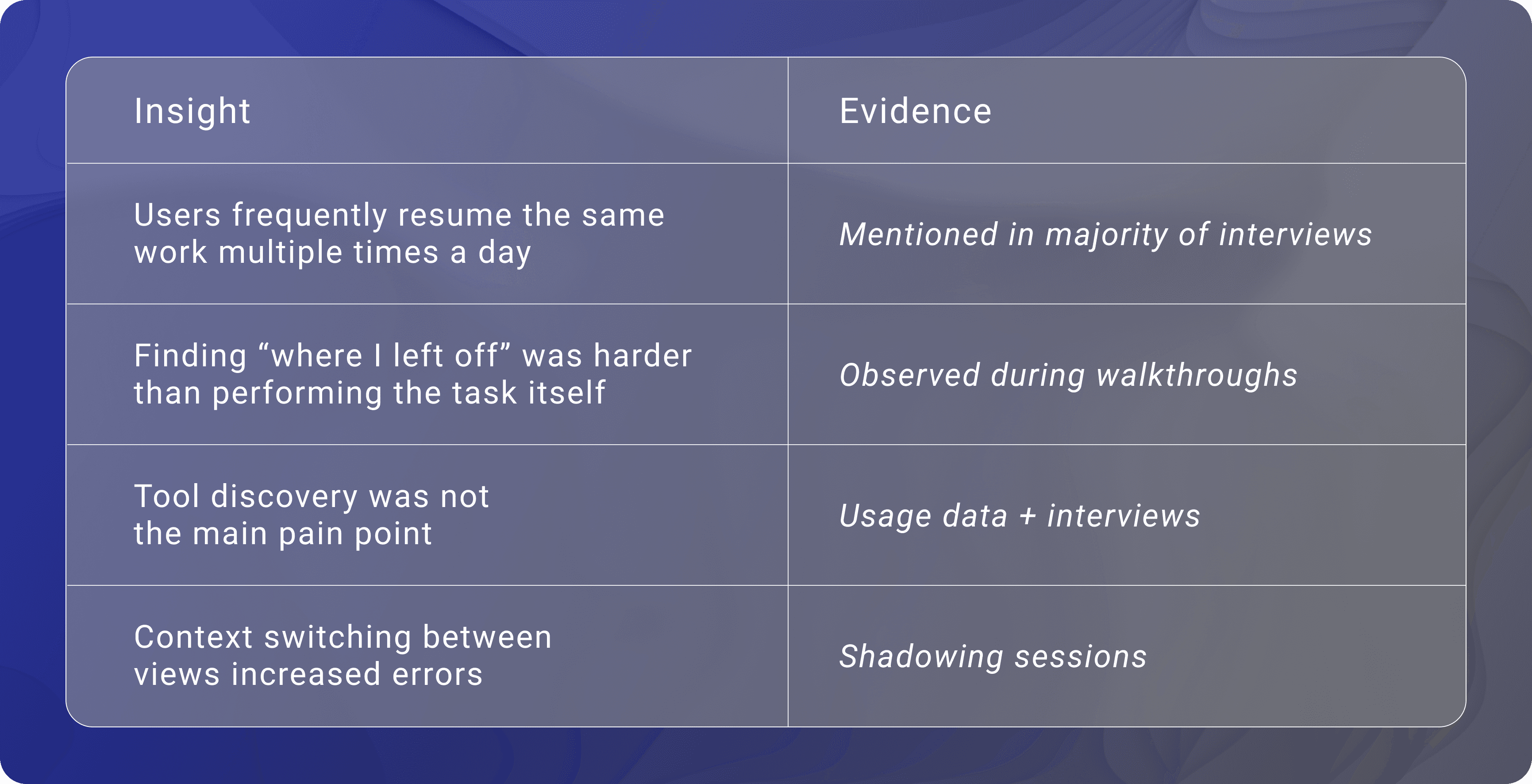
Users struggled to quickly resume previous work
Navigation was tool-driven rather than workflow-driven
High cognitive load led to slower task completion and frustration
This directly impacted adoption, retention, and onboarding scalability.
Constraints
The redesign had to work within legacy technical dependencies, role-based complexity, and enterprise reliability needs.
We needed measurable usability gains without disrupting mission-critical workflows.
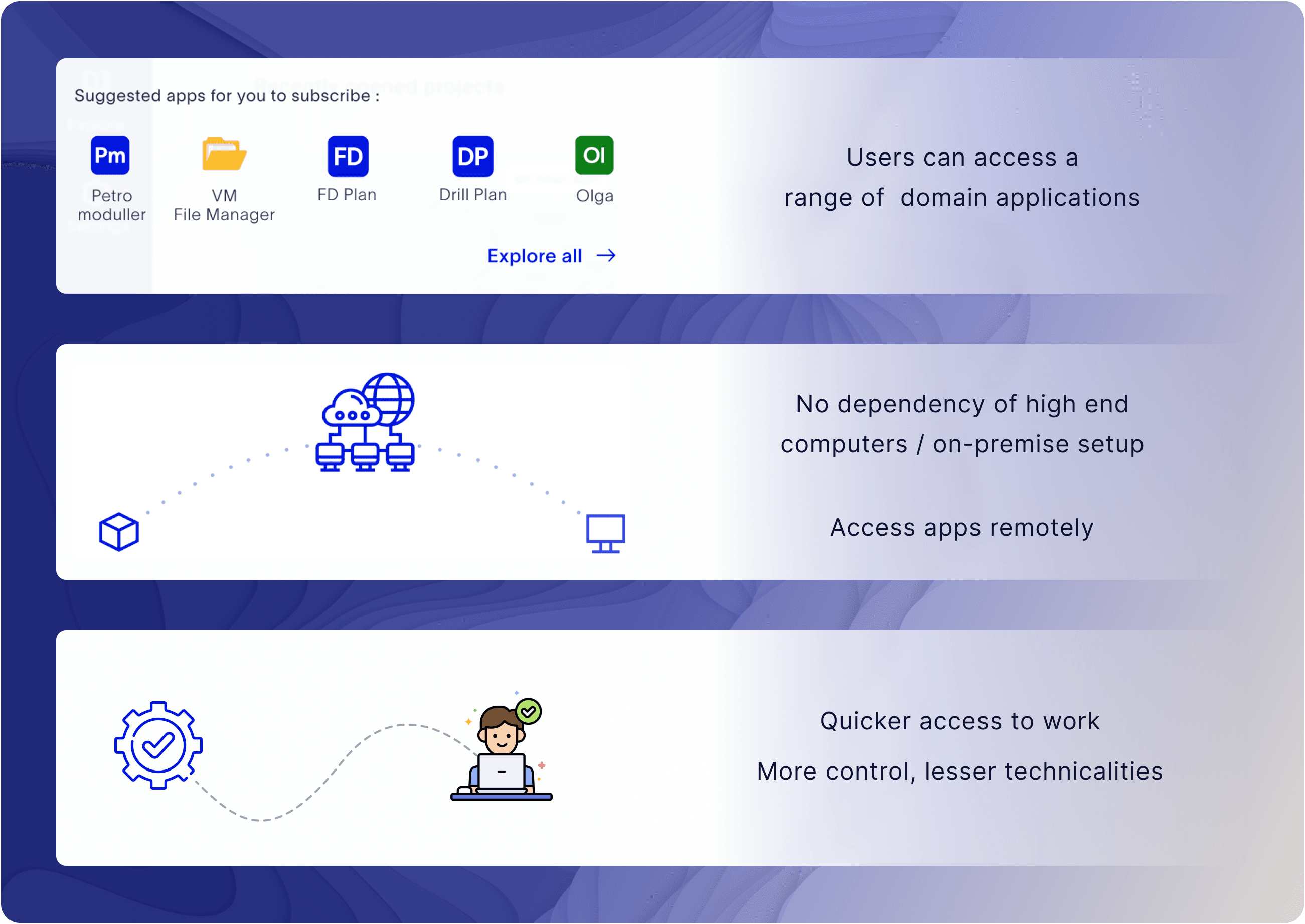
What happens if we solve these problems?
Approach
Mapped high-frequency journeys, identified major friction points, and prioritized interventions by expected user and business impact.
We believe
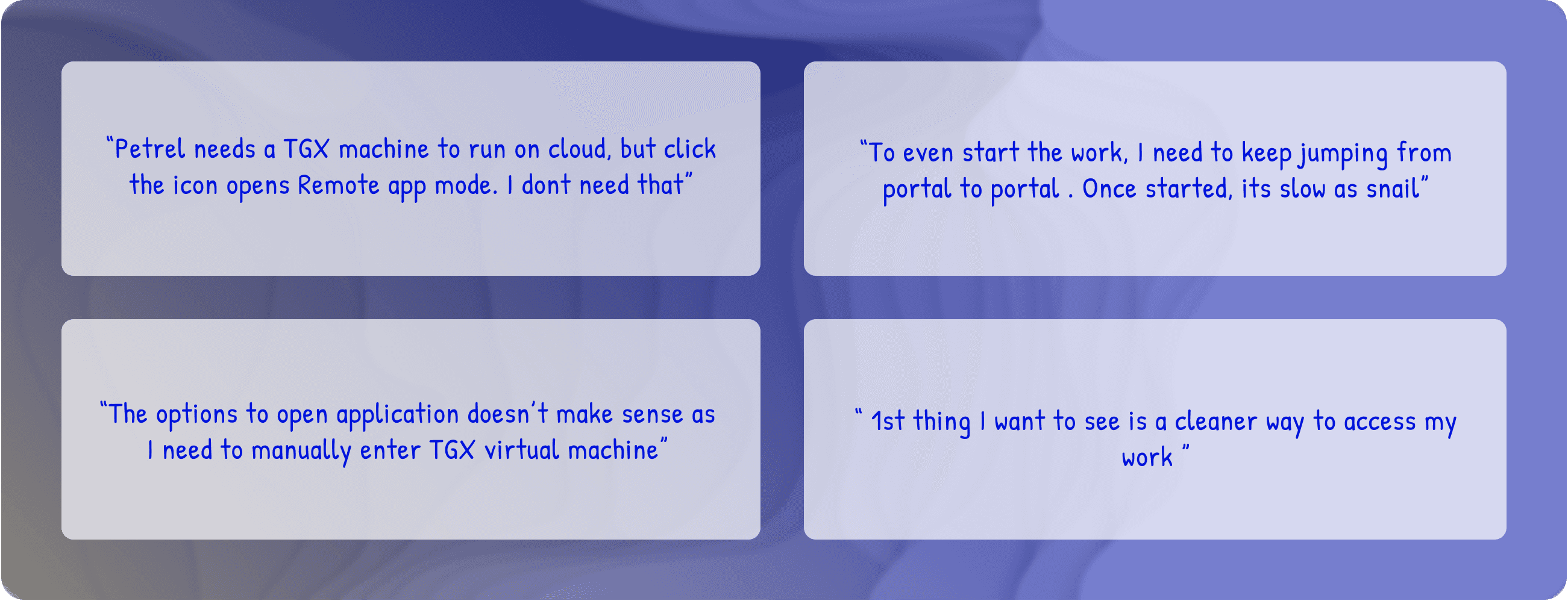
The VM start along with user login will reduce time to access work
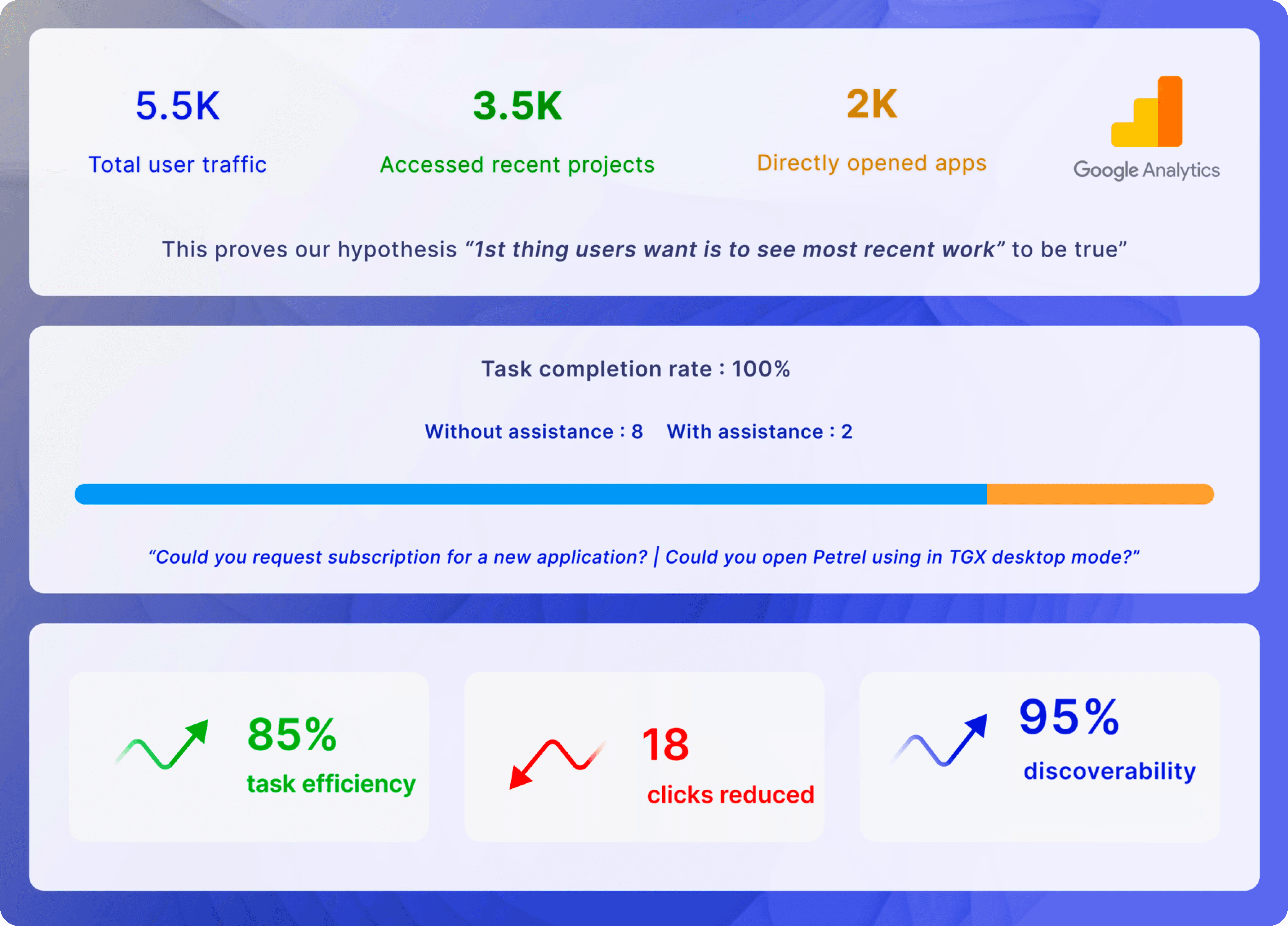
The 1st thing users want to see after landing is their most recent work, and apps
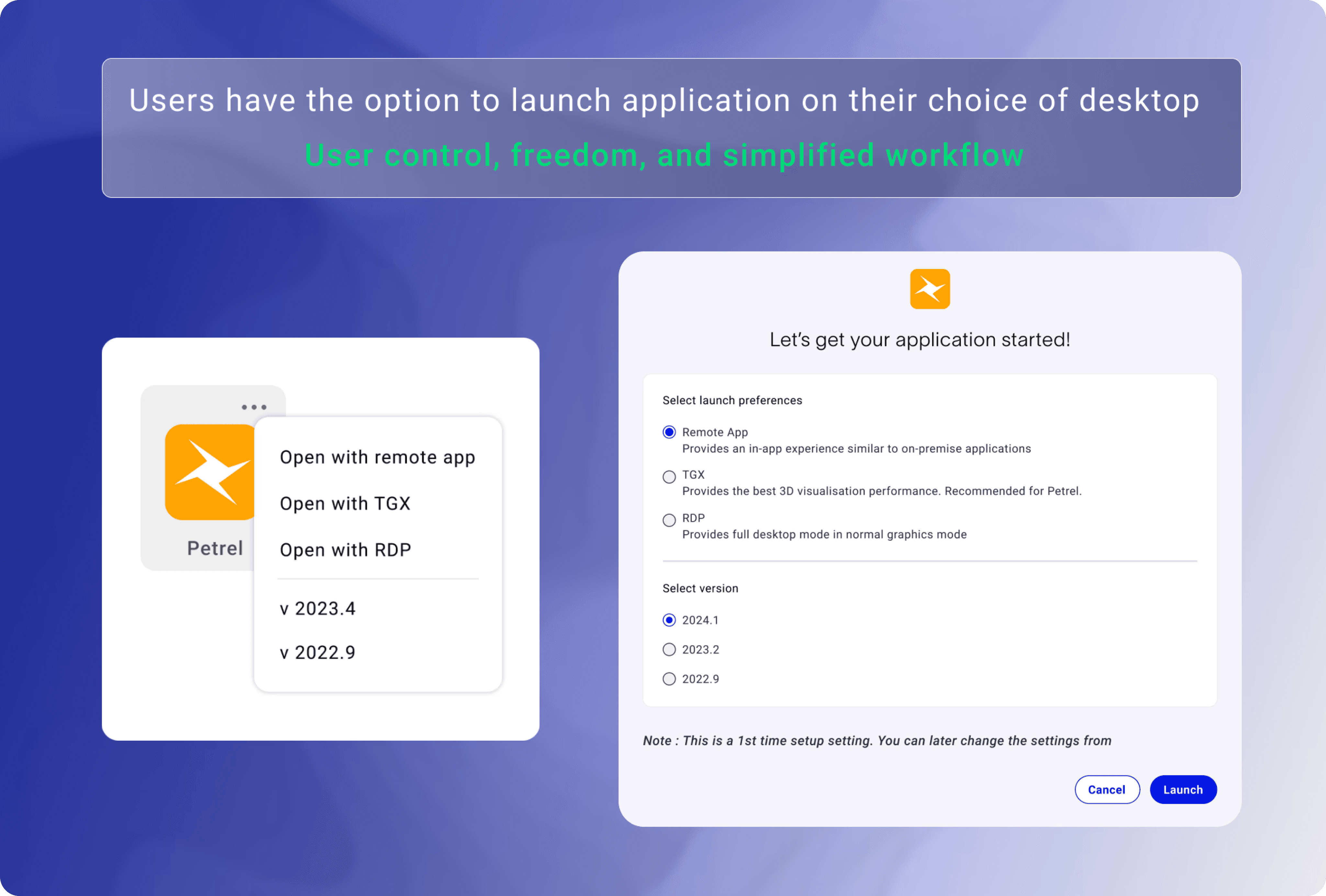
Providing users the control to launch application will simplify their main workflow
Letting users know about product and application updates will help in building trust
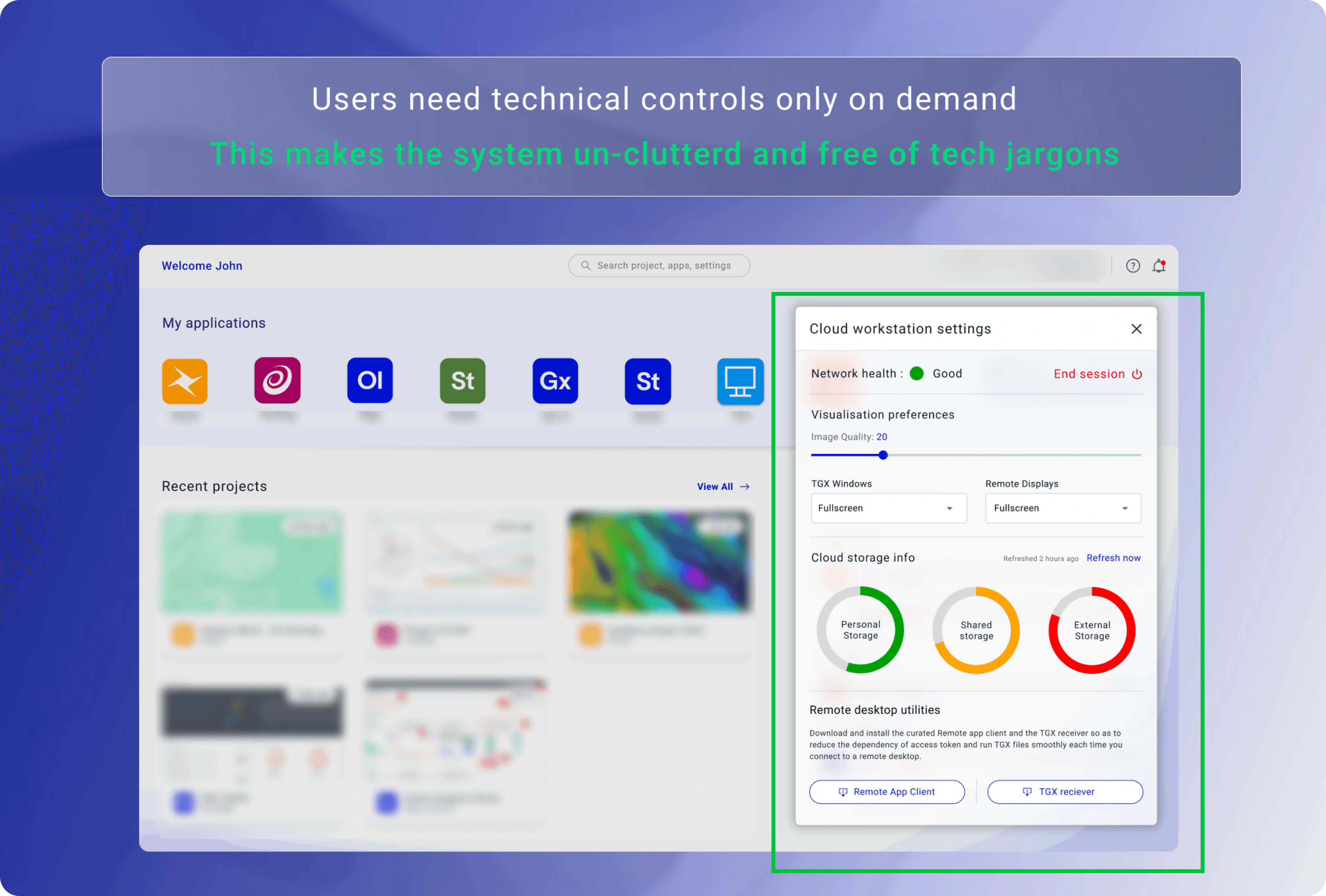
Users need technical control on demand and not always
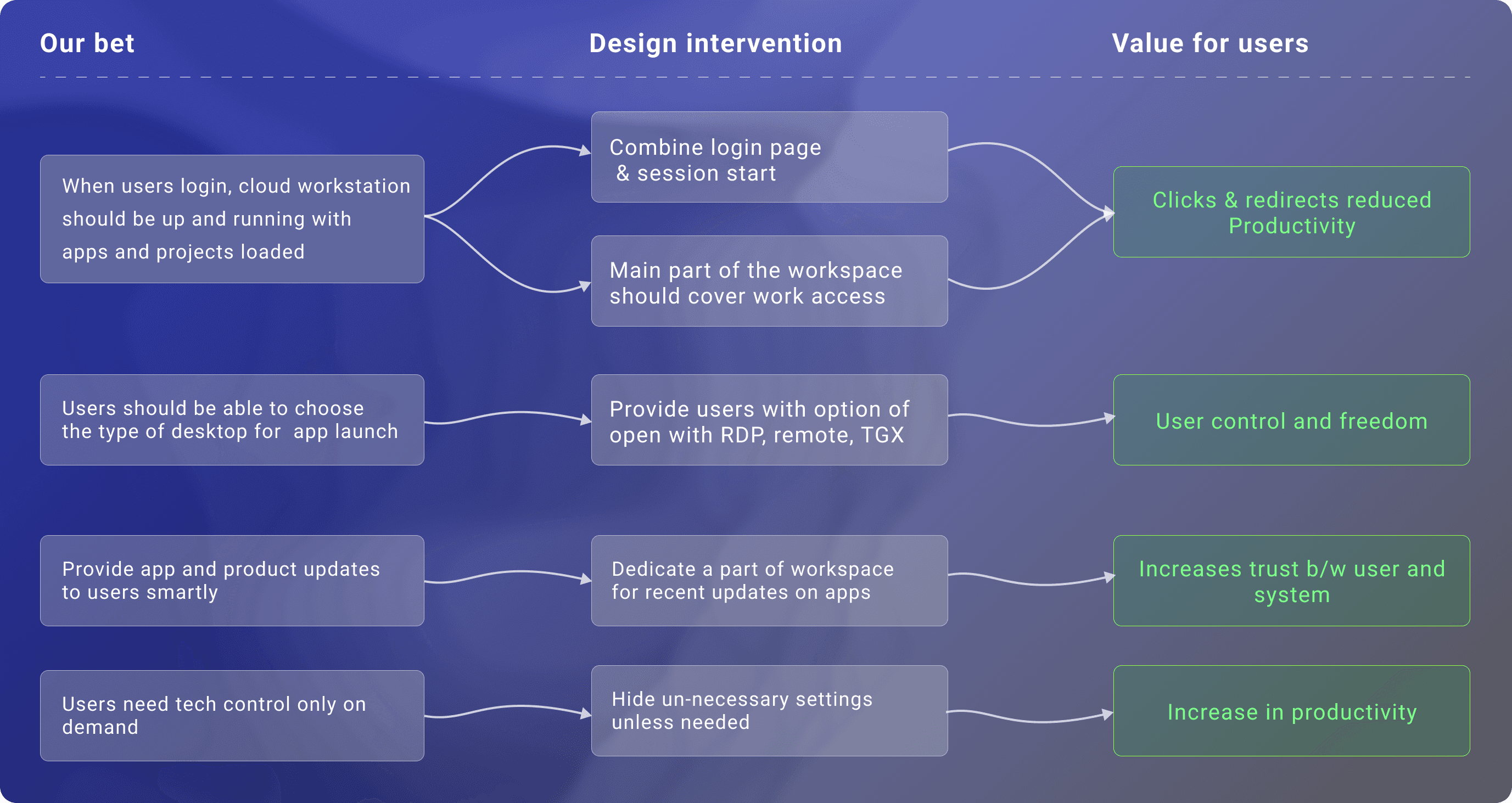
The design direction focused on faster first actions, clearer hierarchy, and lower interaction overhead.
Research & Discover
Methods
1:1 interviews with professional geologists
Workflow walkthroughs and contextual inquiry
Review of product usage data and support tickets
Collaboration with internal domain experts
Interaction with Users:
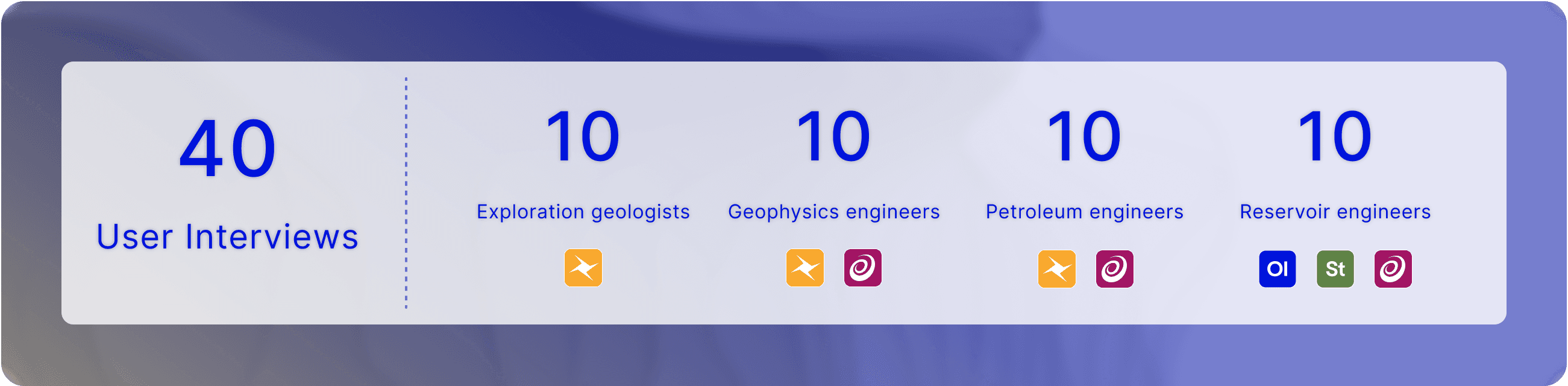
Persona

Key Research insights:
Representative user voices (synthesis from interviews)
Problem Statement
How might we help geologists quickly resume and manage ongoing work without increasing cognitive load or disrupting existing workflows?
This framing aligned both user needs and business goals around efficiency, adoption, and satisfaction.
Design Principles
Based on research, I defined these guiding principles:
Resume over rediscover
Help users continue work instantly rather than navigate tools.Task-first, not tool-first
Organize the interface around what users are doing, not features.Reduce cognitive load
Minimize decisions required before meaningful action.Respect domain complexity
Simplify workflows without oversimplifying professional needs.
Key Decisions
Decision 1 — Prioritize recent work visibility
Why
Users consistently expressed frustration with finding their last active datasets.
Solution
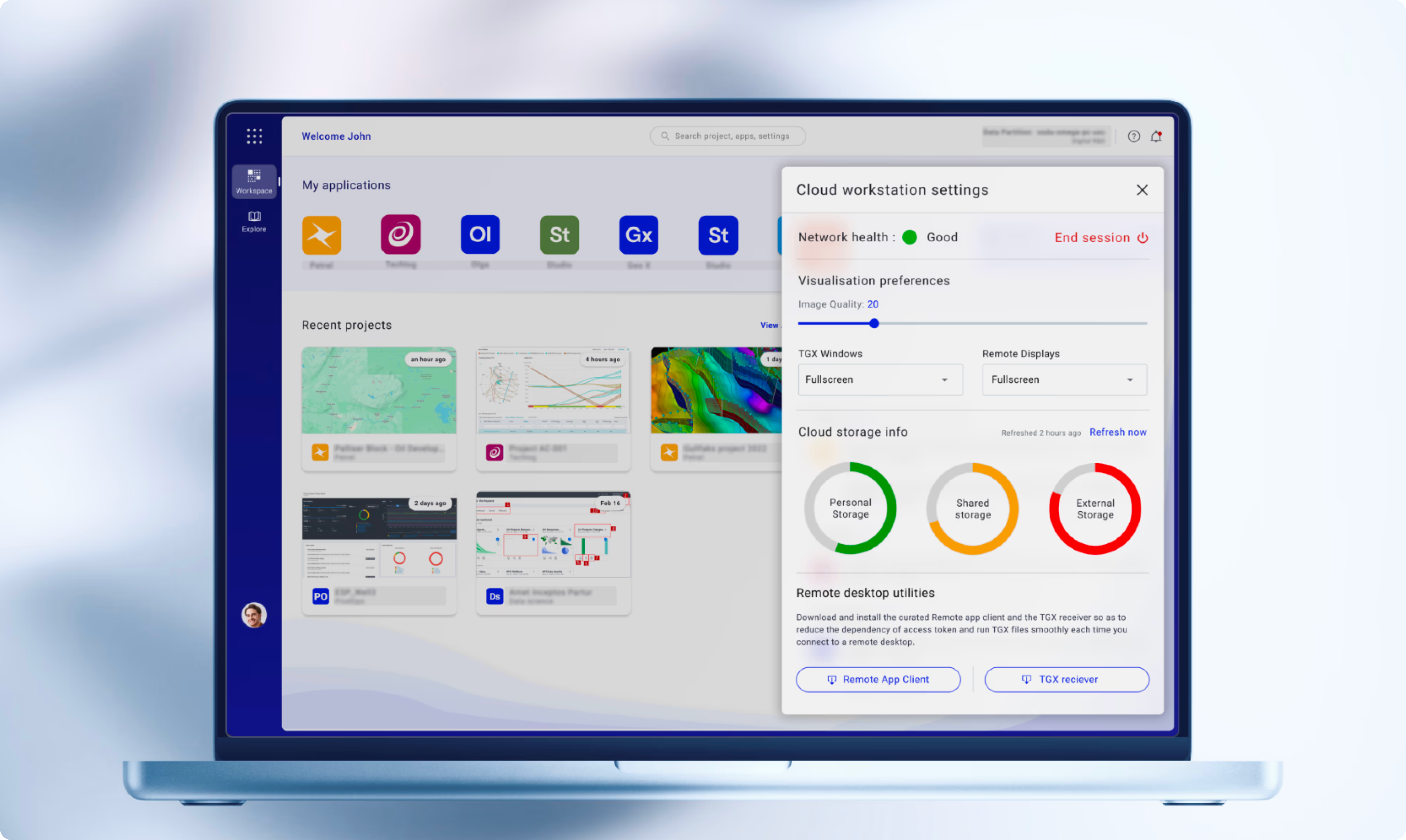
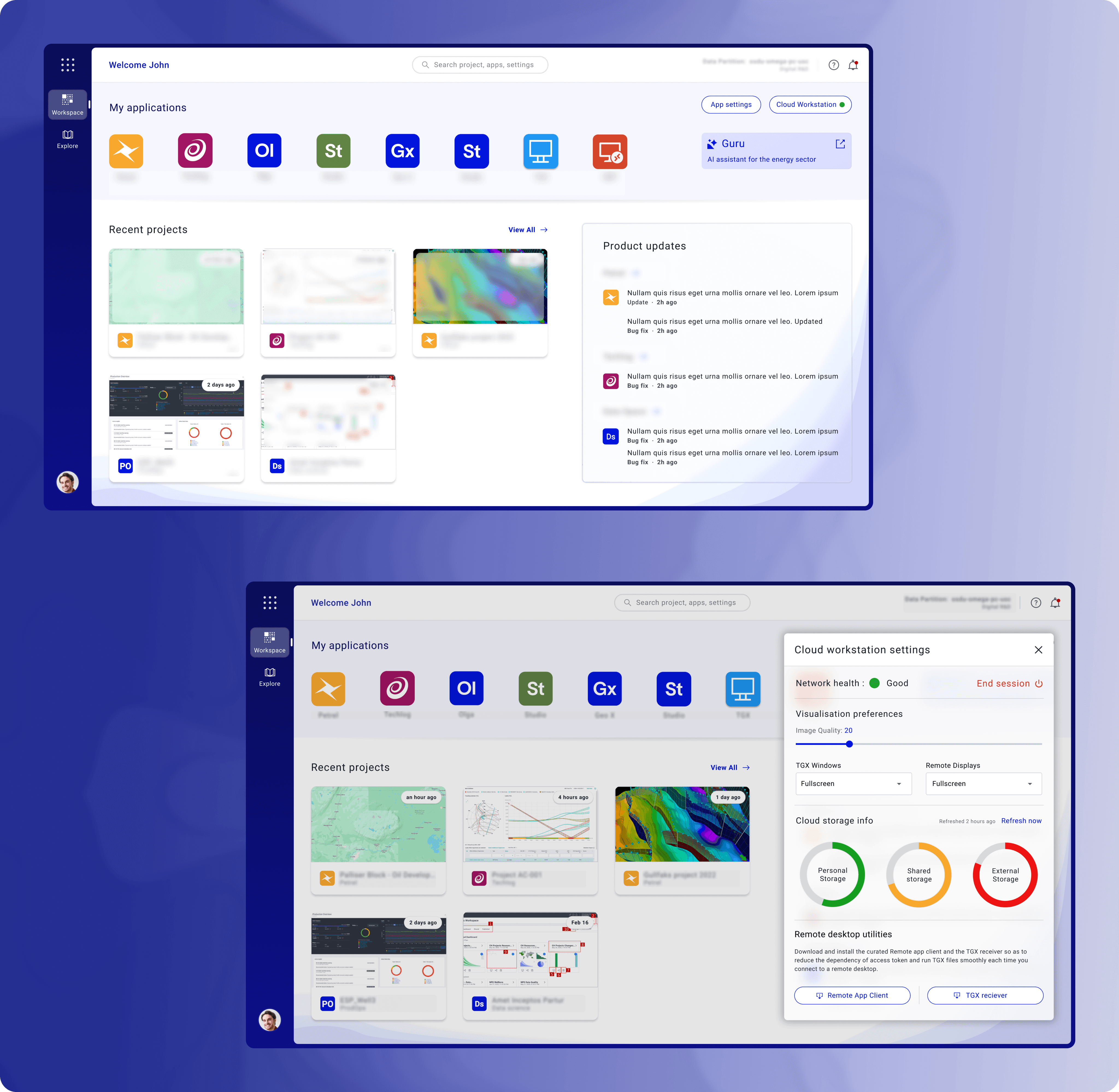
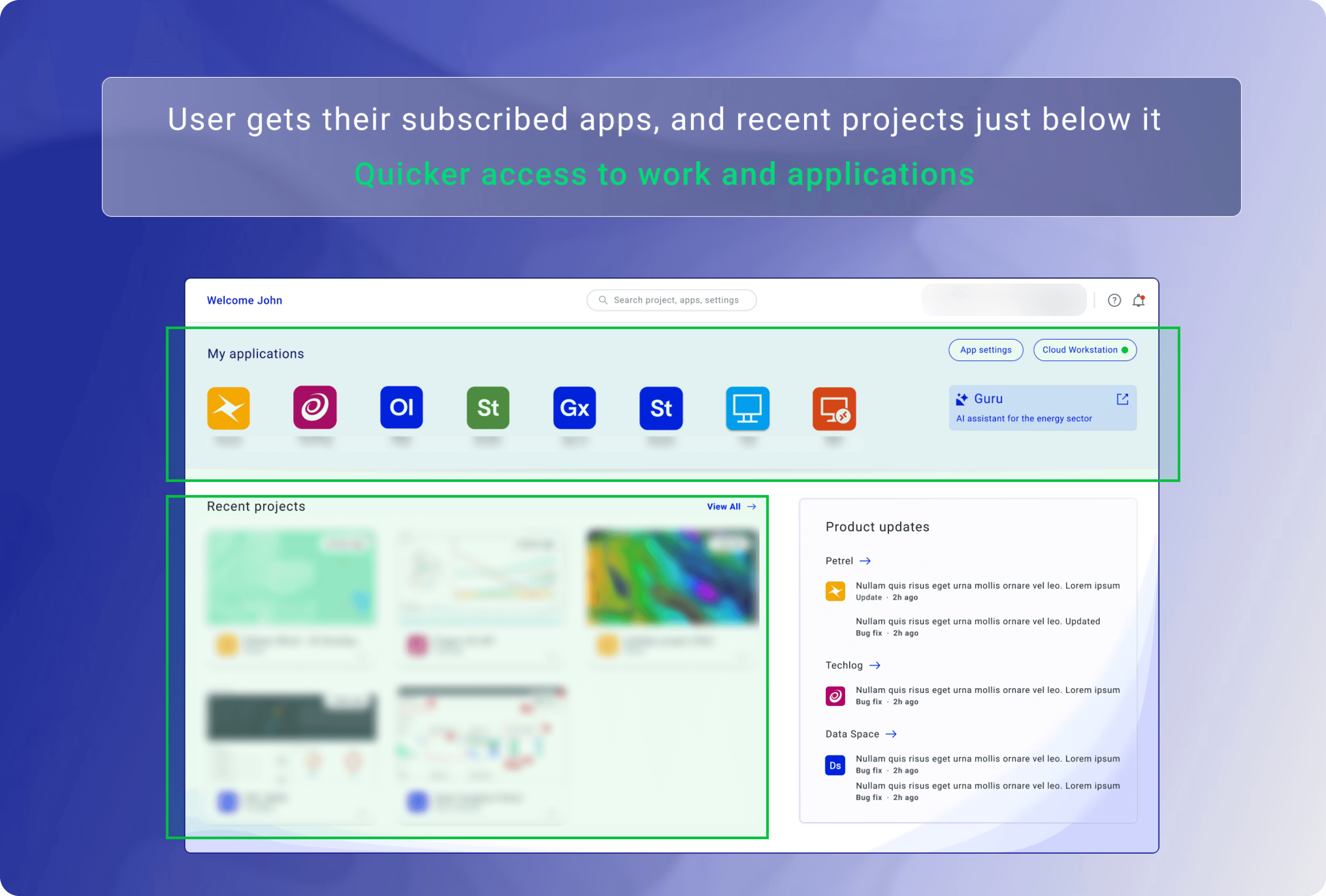
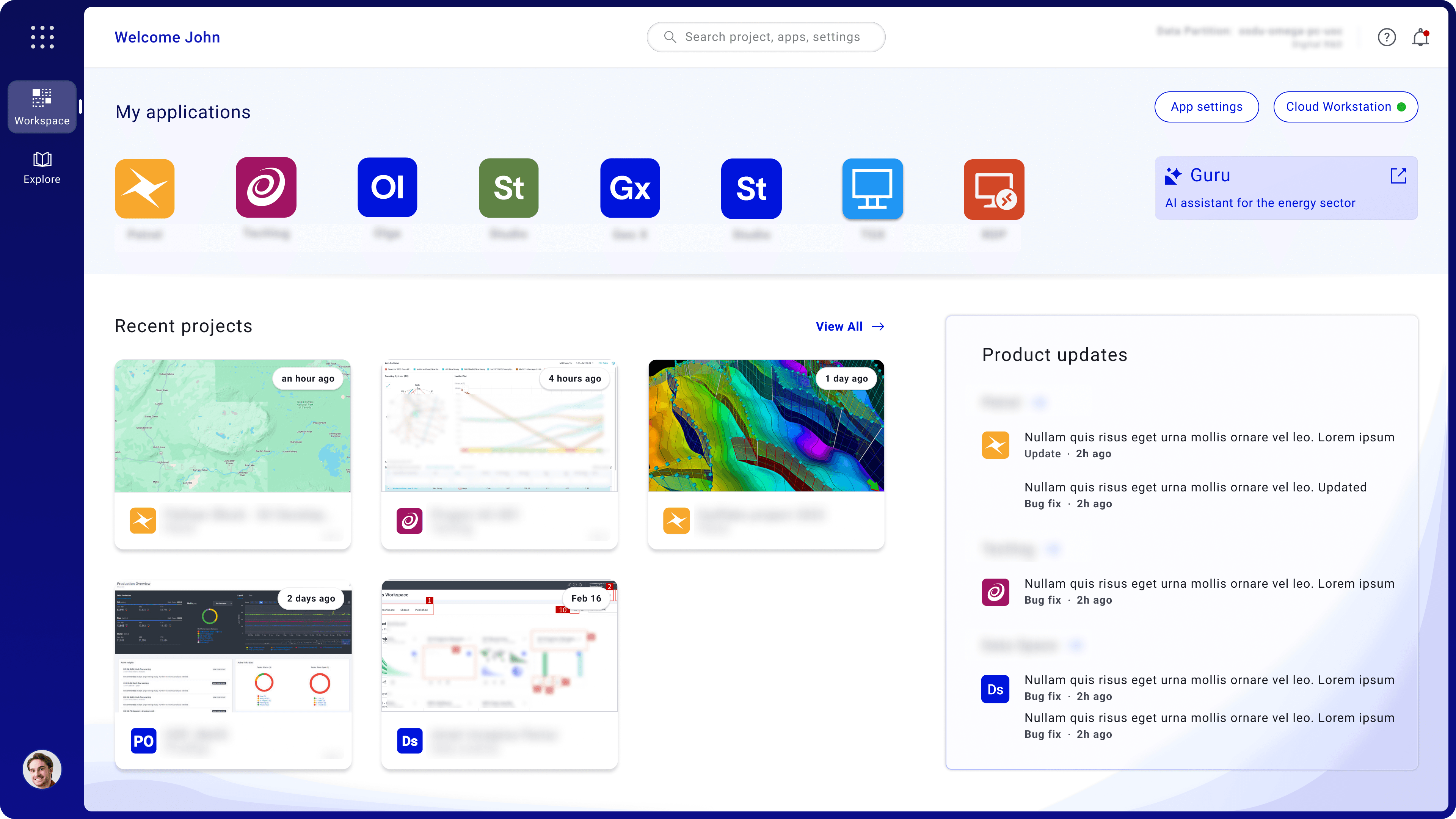
Introduced a “Recent Work” section as the primary entry point
Enabled users to resume tasks in a single interaction
I surfaced recent projects and key actions upfront to reduce time-to-task and improve re-engagement.
Decision 2 — Reduce click depth (21 → 3)
Why
Deep hierarchies increased time-to-task and cognitive load.
Solution
Reduced technical complexities and depth - "we did a cross functional workshop with Engg to figure out how"
Removed secondary decisions where possible
Decision 3 — Prioritize high-frequency actions in the layout
I reorganized the workspace so the most frequent actions appear first—recent projects, app access, and session controls.
This reduced search time, lowered cognitive load, and helped users complete core tasks faster.
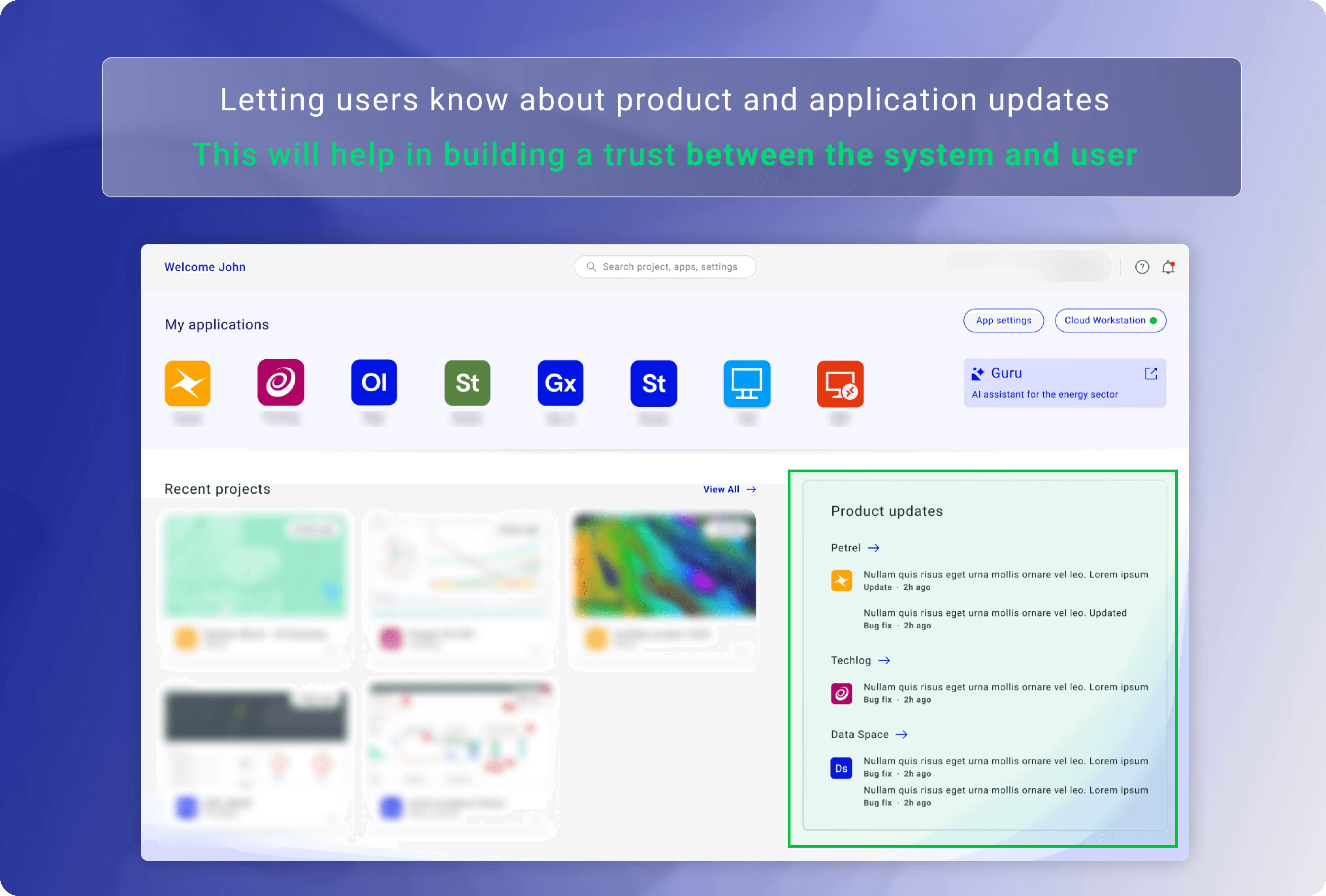
Decision 4 — Improve system-state visibility
Users lost confidence when status signals were unclear.
I introduced clear indicators for health/state to improve trust and reduce uncertainty during execution.
Trade-offs & Prioritization
To maximize adoption impact within delivery constraints, I prioritized high-frequency workflows and deferred lower-frequency enhancements to future iterations.
Prioritized core daily flows over long-tail edge cases for v1
Deferred advanced personalization to reduce implementation complexity
Balanced speed and clarity by using progressive disclosure instead of adding more controls on first view
Validation
Usability validation showed higher task success and lower assisted completion after redesign.
Users completed core actions faster with fewer errors and lower perceived effort.
Business Impact
The redesign converted a flat adoption trend into measurable growth.
It improved both user experience and business outcomes in a short post-launch window.
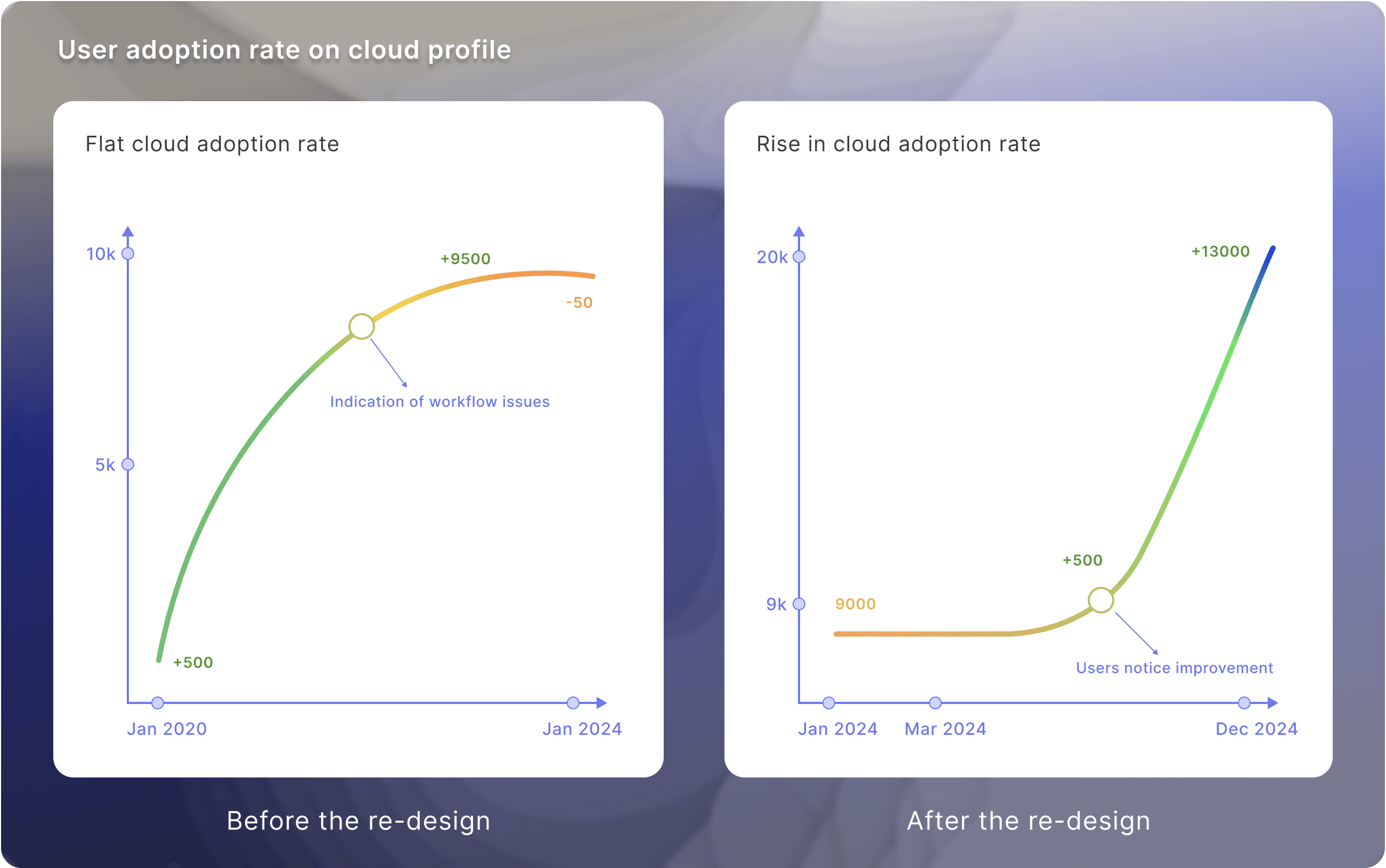
Within 6 months, our team onboarded ~3,000 new customers.
+67% increase in active product adoption
+80% increase in user satisfaction
21 → ~3 clicks in core workflow execution
Final Shipped Experience
The final workspace reduced friction while preserving enterprise-grade capability.
It enabled faster onboarding, clearer actions, and more confident daily usage.
What I’d Improve Next
Personalize workspace modules by role and frequency of use
Add guided in-product onboarding for first-week success
Expand instrumentation to track retention by workflow type
This redesign proved that simplifying enterprise workflows can directly drive adoption, satisfaction, and scalable growth.